Kevin Stratvert banner
Kevin Stratvert avatar
Kevin Stratvert
@kevinstratvert
Subscribers4.3M
Views668.1M
Videos1.3K
Kevin StratvertPublished at April 18, 2026 at 01:56 AM3:55
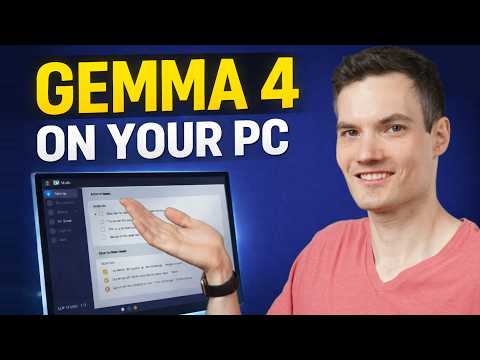
How to Run Gemma 4 on Your PC (Free Setup Tutorial) thumbnail

How to Run Gemma 4 on Your PC (Free Setup Tutorial)

last monthLong-tail
kevin stratvertgemma 4gemma airun ai locallylocal ai setuptutorial
Published time
April 18, 2026 at 01:56 AM
Duration
3:55
Video type
Science & Technology
Channel region
United States
Publish Timing Insight
Not enough timing data
This channel still lacks enough historical upload timing data. Let the channel accumulate more snapshots before evaluating the best timing.
Monetization Insight
High RPM
This video sits in a relatively high RPM range, suggesting a more monetization-friendly topic.
Action Suggestion
Watch for sustained growth
The basic conditions are already in place. Keep watching 7-day views and revenue before deciding whether this topic should become a series.
Views
52.9K
Likes
1.5K
Comments
91
Estimated Daily Revenue
$0 - $0
Estimated Total Revenue
$50.76 - $296.1
RPM Range
$0.96 - $5.6
1D Views Gain
0
7D Views Gain
0
1D Likes Gain
0
7D Likes Gain
0
1D Comments Gain
0
7D Comments Gain
0
Velocity Score
0%
Topic Cluster
kevin stratvert
Video Description
Want to run powerful AI directly on your PC for free? In this video, I’ll show you how to install and use Google’s Gemma 4 model locally using LM Studio. No subscriptions. No cloud. Your data stays completely private. We’ll walk through the full setup step by step, including how to choose the right model, run your first prompt, and even analyze images. You’ll also see how to extract action items from meeting notes automatically. This is one of the easiest ways to get started with local AI, and it works on most modern PCs. Host: Kevin Stratvert ? RESOURCES - LM Studio: https://www.lmstudio.ai ⌚ TIMESTAMPS 0:00 - Introduction 0:28 - Download LM Studio 0:42 - Search and install Gemma 4 1:19 - Run your first prompt 2:00 - Explore response tools 2:22 - Analyze images with AI 2:54 - Advanced features 3:39 - Wrap up and key benefits ? RELATED VIDEOS - Playlist with all my videos on Google: https://www.youtube.com/playlist?list=PLlKpQrBME6xLGL3Ty_1Wbd3nTZ_q_OKFQ ? NEWSLETTER - Get the latest high-quality tutorial and tips and tricks videos emailed to your inbox each week: https://newsletter.kevinstratvert.com ? CONNECT WITH ME - Official website: http://www.kevinstratvert.com - LinkedIn: https://www.linkedin.com/in/kevinstratvert/ - Discord: https://bit.ly/KevinStratvertDiscord - Twitter: https://twitter.com/kevstrat - Facebook: https://www.facebook.com/Kevin-Stratvert-101912218227818 - TikTok: https://www.tiktok.com/@kevinstratvert - Instagram: https://www.instagram.com/kevinstratvert/ ? PARTNERS & DISCOUNTED OFFERS ? Hostinger | https://hostinger.kevinstratvert.com ? Notion | https://notion.kevinstratvert.com ? Quickbooks Online | https://qbo.kevinstratvert.com ?️ Voicemod AI Voice Changer | https://voicemod.kevinstratvert.com ?️ VidIQ | http://vidiq.kevinstratvert.com ? MY COURSES - Go from Excel novice to data analysis ninja in just 2 hours: https://kevinstratvert.thinkific.com/ ? REQUEST VIDEOS https://forms.gle/BDrTNUoxheEoMLGt5 ? SUBSCRIBE ON YOUTUBE https://www.youtube.com/user/kevlers?sub_confirmation=1 ? SUPPORT THE CHANNEL - Hit the THANKS button in any video! - Amazon affiliate link: https://amzn.to/3kCP2yz ⚖ DISCLOSURE Some links are affiliate links. Purchasing through these links gives me a small commission to support videos on this channel. The price to you is the same. #stratvert #gemma4 #lmstudio
Related Topics
Continue with closely related videos to judge topic depth and content format.
Topic: kevin stratvert
Not enough related-topic video data yet.
Video FAQs

These FAQs clarify what this video page measures, why revenue is estimated, and how to use the page for content research.

What can you learn from this video analytics page?

This page shows views, likes, comments, RPM and revenue estimates, publish timing, topic tags, related videos, and the broader channel context behind the video.


Why are RPM and revenue numbers estimates?

Actual earnings depend on monetized playbacks, audience geography, seasonality, advertiser demand, and monetization status. CloutOrbit provides directional estimates for benchmarking, not exact payouts.

How should you use this page for content research?

Compare timing, topic tags, monetization signals, and adjacent videos from the same channel to spot formats, themes, and publishing patterns worth testing.