a2ztube Youtube Guide banner
a2ztube Youtube Guide avatar
a2ztube Youtube Guide
@a2zguide
Subscribers44K
Views12.2M
Videos360
a2ztube Youtube GuidePublished at February 3, 2026 at 10:53 PM0:13
How to Remove the Small Logo from Your YouTube Videos thumbnail

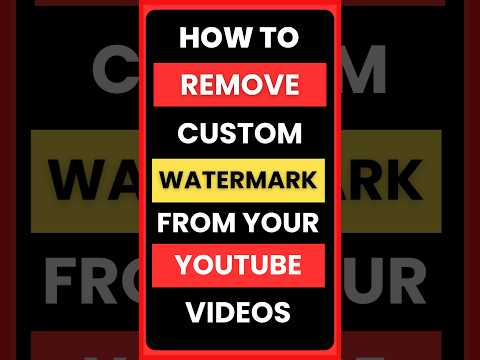
How to Remove the Small Logo from Your YouTube Videos

4 months agoLong-tail
how to remove youtube watermarkdelete branding watermark on youtuberemove custom watermark 2026 guideyoutube studio branding settings tutorialchange youtube video watermark logoshorts
Published time
February 3, 2026 at 10:53 PM
Duration
0:13
Video type
Science & Technology
Channel region
India
Publish Timing Insight
Not enough timing data
This channel still lacks enough historical upload timing data. Let the channel accumulate more snapshots before evaluating the best timing.
Monetization Insight
No clear monetization tags yet
Focus on view growth, engagement quality, and topic competition to judge monetization potential.
Action Suggestion
Watch for sustained growth
The basic conditions are already in place. Keep watching 7-day views and revenue before deciding whether this topic should become a series.
Views
257
Likes
2
Comments
0
Estimated Daily Revenue
-
Estimated Total Revenue
$0 - $0.02
RPM Range
$0.02 - $0.06
1D Views Gain
0
7D Views Gain
0
1D Likes Gain
0
7D Likes Gain
0
1D Comments Gain
0
7D Comments Gain
0
Velocity Score
0%
Topic Cluster
how to remove youtube watermark
Video Description
Learn the exact steps to remove the custom branding watermark from your YouTube videos to give your channel a cleaner look. Many creators struggle to find the specific setting buried within the updated YouTube Studio interface. This tutorial walks you through navigating to the customization tab where you can manage your branding elements. By selecting the branding sub-section, you can instantly delete or replace the video watermark that appears in the bottom right corner of your uploads. Removing this element can reduce visual clutter and improve the overall professional aesthetic of your content. Whether you are using a desktop browser or mobile device in desktop mode, this process ensures your changes are published across your entire video library instantly. Follow these instructions to master your channel customization and maintain full control over your brand visibility on the platform. #youtubetips #youtubegrowth #youtubestudio #branding #contentcreator
Related Topics
Continue with closely related videos to judge topic depth and content format.
Topic: how to remove youtube watermark
Not enough related-topic video data yet.
Video FAQs

These FAQs clarify what this video page measures, why revenue is estimated, and how to use the page for content research.

What can you learn from this video analytics page?

This page shows views, likes, comments, RPM and revenue estimates, publish timing, topic tags, related videos, and the broader channel context behind the video.


Why are RPM and revenue numbers estimates?

Actual earnings depend on monetized playbacks, audience geography, seasonality, advertiser demand, and monetization status. CloutOrbit provides directional estimates for benchmarking, not exact payouts.

How should you use this page for content research?

Compare timing, topic tags, monetization signals, and adjacent videos from the same channel to spot formats, themes, and publishing patterns worth testing.