➡️ Higgsfield: https://goto.higgsfield.ai/nXQQDo ( Use ZINNY_10 for 10% off)
our faceless YouTube channel does not need your real face to build connection anymore.
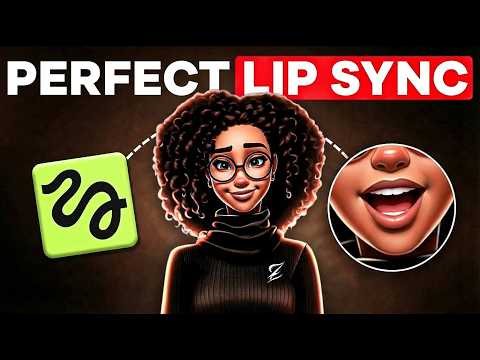
In this video, I walk you through how to create a talking AI Avatar for your faceless YouTube channel using Higgsfield. From designing a consistent AI character, to generating a brand voice, to syncing the lips so everything looks natural, this is a full workflow that can help your content feel more personal, memorable, and professional.
We cover how to create your AI host image, how to use ElevenLabs inside Higgsfield for voice generation, and the three different lip sync approaches you can use depending on your content style and workflow. Whether you want quick test videos, a polished recurring host, or a fast way to swap voices while keeping the same character, this video breaks it all down step by step.
If you’ve been struggling to make your faceless channel feel more connected and engaging, this could be the missing piece. A talking AI host gives your channel a face, a voice, and an identity without you ever needing to show up on camera.
✨ Important Links✨
➡️ Free Checklist: https://www.zinnystudio.com/freebies
➡️ Join Accelerate: https://www.skool.com/accelerate-by-zinny-studio
✨ Tools I use✨
➡️ Prompt Document: https://bit.ly/4v1JzWy
➡️ Higgsfield: https://goto.higgsfield.ai/nXQQDo ( Use ZINNY_10 for 10% off)
➡️ Get our 30-day trial of vidIQ for only $1: https://vidiq.com/thezinnystudio
➡️ ElevenLabs: https://bit.ly/3RVEApb
✨ Important Links✨
➡️ For business inquiries:
[email protected]
I am affiliates for some of the brands mentioned on the channel. I earn from qualifying purchases. I only recommend products I actually use, love, and think you would benefit from. These affiliate links allow me to continue to post free content on YouTube.
Thank you for watching! If you have any questions please feel free to reach out or leave a comment in the comment section.
✨Disclaimer✨
Note that I am not a financial or career advisor. The content on this channel is for learning purposes only. My results are due to hard work, dedication, and in-depth research, and your results may vary. Information in my videos is accurate as of the recording date, but its accuracy cannot be guaranteed at a later time.
#zinnystudio #facelesschannel #facelessyoutubechannel #higgsfieldelevenlabslipsync #talkingAIhostfacelesschannel #AIlipsyncYouTube #facelesschanneltalkingavatar #higgsfieldlipsynctutorial