InShot Video Editor banner
InShot Video Editor avatar
InShot Video Editor
@inshotapp
Subscribers2.9M
Views81.8M
Videos775
InShot Video EditorPublished at April 7, 2026 at 05:00 PM3:28
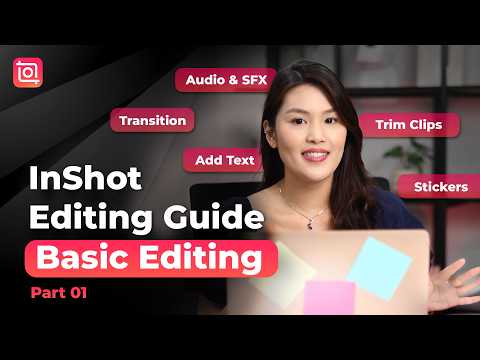
InShot Editing Guide Part.01 🎬 Basic Editing for Beginners | InShot Video Editing Tutorial thumbnail

InShot Editing Guide Part.01 🎬 Basic Editing for Beginners | InShot Video Editing Tutorial

last monthLong-tail
inshotinshot tutorialvideo editingediting tutorialbest video editortutorial
Published time
April 7, 2026 at 05:00 PM
Duration
3:28
Video type
Howto & Style
Channel region
Singapore
Publish Timing Insight
Not enough timing data
This channel still lacks enough historical upload timing data. Let the channel accumulate more snapshots before evaluating the best timing.
Monetization Insight
High RPM
This video sits in a relatively high RPM range, suggesting a more monetization-friendly topic.
Action Suggestion
Watch for sustained growth
The basic conditions are already in place. Keep watching 7-day views and revenue before deciding whether this topic should become a series.
Views
32.5K
Likes
933
Comments
100
Estimated Daily Revenue
-
Estimated Total Revenue
$23.39 - $136.44
RPM Range
$0.72 - $4.2
1D Views Gain
0
7D Views Gain
0
1D Likes Gain
0
7D Likes Gain
0
1D Comments Gain
0
7D Comments Gain
0
Velocity Score
0%
Topic Cluster
inshot
Video Description
📲Get InShot latest version on iOS & Android: 👉https://inshotshare.app/download Start editing like a pro with InShot 🎬 This beginner-friendly tutorial covers trimming clips, transitions, text, stickers, and audio — everything you need to create clean and engaging videos. Stay tuned for more tutorials! 0:00 Intro 0:18 Import & Canvas 0:33 Cut & Trim Clips 0:54 Add Transitions 1:16 Add Text & Stickers 1:50 Add Audio 2:26 Adjust Color 3:04 Video Export Settings 3:15 Outro 👍Like, share, and subscribe to InShot on our socials❤️ TikTok: https://www.tiktok.com/@inshotapp.official X: https://x.com/InShot_App Pinterest: https://www.pinterest.com/InShotOfficial/_created/ Official Website: https://inshot.com #videoediting #inshot #contentcreation #reelstips #videotutorial #inshotediting
Related Topics
Continue with closely related videos to judge topic depth and content format.
Topic: inshot
Not enough related-topic video data yet.
Video FAQs

These FAQs clarify what this video page measures, why revenue is estimated, and how to use the page for content research.

What can you learn from this video analytics page?

This page shows views, likes, comments, RPM and revenue estimates, publish timing, topic tags, related videos, and the broader channel context behind the video.


Why are RPM and revenue numbers estimates?

Actual earnings depend on monetized playbacks, audience geography, seasonality, advertiser demand, and monetization status. CloutOrbit provides directional estimates for benchmarking, not exact payouts.

How should you use this page for content research?

Compare timing, topic tags, monetization signals, and adjacent videos from the same channel to spot formats, themes, and publishing patterns worth testing.