The Zinny Studio banner
The Zinny Studio avatar
The Zinny Studio
@thezinnystudio
Subscribers170K
Views8M
Videos167
The Zinny StudioPublished at April 28, 2026 at 09:12 PM11:37
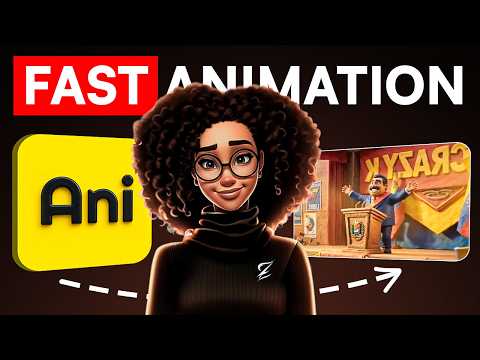
How I Create AI Animation With ONE Prompt For Faceless Youtube thumbnail

How I Create AI Animation With ONE Prompt For Faceless Youtube

last monthLong-tail
AI youtubefaceless youtubeyoutube automationzinny studioai animationcreate animation one
Published time
April 28, 2026 at 09:12 PM
Duration
11:37
Video type
Science & Technology
Channel region
Canada
Publish Timing Insight
Not enough timing data
This channel still lacks enough historical upload timing data. Let the channel accumulate more snapshots before evaluating the best timing.
Monetization Insight
High RPM
This video sits in a relatively high RPM range, suggesting a more monetization-friendly topic.
Action Suggestion
Watch for sustained growth
The basic conditions are already in place. Keep watching 7-day views and revenue before deciding whether this topic should become a series.
Views
6.8K
Likes
254
Comments
58
Estimated Daily Revenue
$0.04 - $0.26
Estimated Total Revenue
$6.51 - $37.95
RPM Range
$0.96 - $5.6
1D Views Gain
0
7D Views Gain
0
1D Likes Gain
0
7D Likes Gain
0
1D Comments Gain
0
7D Comments Gain
0
Velocity Score
0%
Topic Cluster
AI youtube
Video Description
➡️ https://www.anijam.ai/?src=/youtube/fizinny Until now, creating an AI animated video meant juggling a separate tool for character design, another for scene generation, another for motion, another for voiceover, another for lip sync, and an editor to stitch it all together. Every handoff cost you consistency, style, and hours of your life. In this video, I show you how I built a fully animated short — character, scenes, camera moves, voiceover — from a single prompt inside one tool: Anijam by Dzine AI. Anijam isn't a generator. It's an AI agent. You give it a story spark, it proposes scene beats, you refine through chat, and it handles the entire animation pipeline on your behalf. That's why the output actually feels like one cohesive piece instead of six different AI clips taped together. If you've been waiting for the moment animated faceless content stops looking like a slideshow — this is it. ✨ Important Links✨ ➡️ Free Checklist: https://www.zinnystudio.com/freebies ➡️ Join Accelerate: https://www.skool.com/accelerate-by-zinny-studio ✨ Tools I use✨ ➡️ Get our 30-day trial of vidIQ for only $1: https://vidiq.com/thezinnystudio ➡️ ElevenLabs: https://bit.ly/3RVEApb ✨ Important Links✨ ➡️ For business inquiries: [email protected] I am affiliates for some of the brands mentioned on the channel. I earn from qualifying purchases. I only recommend products I actually use, love, and think you would benefit from. These affiliate links allow me to continue to post free content on YouTube. Thank you for watching! If you have any questions please feel free to reach out or leave a comment in the comment section. ✨Disclaimer✨ Note that I am not a financial or career advisor. The content on this channel is for learning purposes only. My results are due to hard work, dedication, and in-depth research, and your results may vary. Information in my videos is accurate as of the recording date, but its accuracy cannot be guaranteed at a later time. #anijamai #aianimation #zinnystudio #animation #facelesschannel #DzineAI #AIVideoGeneration
Related Topics
Continue with closely related videos to judge topic depth and content format.
Topic: AI youtube
Not enough related-topic video data yet.
Video FAQs

These FAQs clarify what this video page measures, why revenue is estimated, and how to use the page for content research.

What can you learn from this video analytics page?

This page shows views, likes, comments, RPM and revenue estimates, publish timing, topic tags, related videos, and the broader channel context behind the video.

Why are RPM and revenue numbers estimates?

Actual earnings depend on monetized playbacks, audience geography, seasonality, advertiser demand, and monetization status. CloutOrbit provides directional estimates for benchmarking, not exact payouts.

How should you use this page for content research?

Compare timing, topic tags, monetization signals, and adjacent videos from the same channel to spot formats, themes, and publishing patterns worth testing.