Video Description
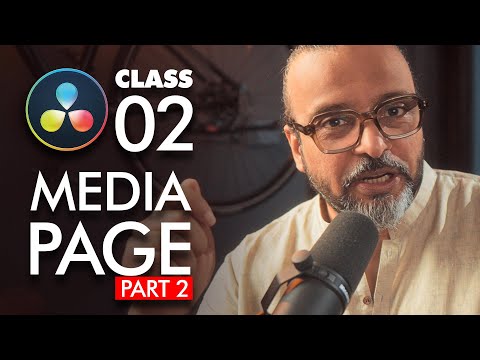
Welcome to Class 2 of my DaVinci Resolve Beginner Guide! ?
In this lesson, we’ll dive deeper into the Media Page and explore two powerful features:
• Scene Cut Detection: Perfect for automatically splitting long videos into separate clips. This tool saves time and makes the editing workflow much easier.
• Annotations: A great option for team collaboration! You can add notes, feedback, or reminders directly on your video. These annotations are linked with markers, so editors can quickly understand what needs to be done.
Whether you’re working solo or in a team, these features will help streamline your editing process in DaVinci Resolve.
This video is part of my Complete DaVinci Resolve Beginner Course, where I take you step by step through everything you need to know from downloading Resolve, learning the interface, media management, all the way to editing, color grading, and final export. Whether you’re a beginner or switching from another software, this course will help you build a solid foundation in DaVinci Resolve. Click below to to follow the full Course playlist.
https://www.youtube.com/playlist?list=PLW-zSkCnZ-gA98O6OLuL4hGSN8LiPJ9vV
? Don’t forget to subscribe for the full DaVinci Resolve Beginner Course!
Join GFXMentor Nation (Official Facebook Group)
https://www.facebook.com/groups/gfxmnation
Follow me on Instagram
https://www.instagram.com/GFXMentor
Follow me on Facebook:
https://www.facebook.com/GFXMentor
Subscribe to my second channel named "Immmi"
https://www.youtube.com/Immmi
*IMPORTANT*
Please only use and share embed code of the original video.
Third party downloads and distribution is not permitted.
My name is Imran Ali Dina, and I am a seasoned Graphic Design Trainer having experience of 20+ years. I've started this training for anyone who wants to learn Graphic Designing for FREE in a professional way.
Photoshop for Beginners Series Playlist:
https://www.youtube.com/playlist?list=PLW-zSkCnZ-gA5Jn6gZtUa6-aG0OoRZyb6
Here's the complete playlist of Adobe Illustrator Training so far, I suggest, if you are new to Adobe Illustrator you should watch whole playlist from the beginning:
https://www.youtube.com/playlist?list=PLW-zSkCnZ-gCq0DjkzY-YapCBEk0lA6lR
www.youtube.com/GFXMentor