a2ztube Youtube Guide banner
a2ztube Youtube Guide avatar
a2ztube Youtube Guide
@a2zguide
Subscribers44K
Views12.2M
Videos360
a2ztube Youtube GuidePublished at January 16, 2026 at 10:52 PM0:13
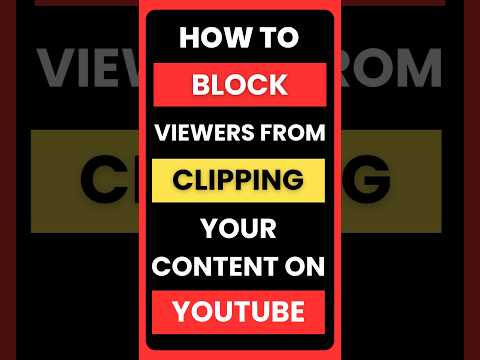
How to Stop Viewers From Clipping Your YouTube Videos thumbnail

How to Stop Viewers From Clipping Your YouTube Videos

4 months agoLong-tail
How to disable clips on YouTubeTurn off clipping on YouTubeRemove clip button YouTube videoStop viewers from clipping contentYouTube advanced settings tutorialshorts
Published time
January 16, 2026 at 10:52 PM
Duration
0:13
Video type
Science & Technology
Channel region
India
Publish Timing Insight
Not enough timing data
This channel still lacks enough historical upload timing data. Let the channel accumulate more snapshots before evaluating the best timing.
Monetization Insight
No clear monetization tags yet
Focus on view growth, engagement quality, and topic competition to judge monetization potential.
Action Suggestion
Watch for sustained growth
The basic conditions are already in place. Keep watching 7-day views and revenue before deciding whether this topic should become a series.
Views
184
Likes
0
Comments
0
Estimated Daily Revenue
-
Estimated Total Revenue
$0 - $0.01
RPM Range
$0.02 - $0.06
1D Views Gain
0
7D Views Gain
0
1D Likes Gain
0
7D Likes Gain
0
1D Comments Gain
0
7D Comments Gain
0
Velocity Score
0%
Topic Cluster
How to disable clips on YouTube
Video Description
Stop people from stealing snippets of your content. Here is exactly how to disable the "Clip" feature on your YouTube channel to keep full control over your videos. Go to YouTube Studio :Settings : Channel : Advanced Settings and uncheck "Allow viewers to clip my content." This removes the scissors icon and stops users from creating 60-second loops of your work. Protect your intellectual property and ensure viewers watch the full video instead of out-of-context clips. Subscribe for more YouTube privacy tips and creator hacks! #digitalmarketing #videocreator #youtubeguide #contentsecurity
Related Topics
Continue with closely related videos to judge topic depth and content format.
Topic: How to disable clips on YouTube
Not enough related-topic video data yet.
Video FAQs

These FAQs clarify what this video page measures, why revenue is estimated, and how to use the page for content research.

What can you learn from this video analytics page?

This page shows views, likes, comments, RPM and revenue estimates, publish timing, topic tags, related videos, and the broader channel context behind the video.


Why are RPM and revenue numbers estimates?

Actual earnings depend on monetized playbacks, audience geography, seasonality, advertiser demand, and monetization status. CloutOrbit provides directional estimates for benchmarking, not exact payouts.

How should you use this page for content research?

Compare timing, topic tags, monetization signals, and adjacent videos from the same channel to spot formats, themes, and publishing patterns worth testing.