Zero Absolu Gaming banner
Zero Absolu Gaming avatar
Zero Absolu Gaming
@zeroabsolugaming
Subscribers84.4K
Views12.7M
Videos439
Zero Absolu GamingPublished at March 9, 2026 at 12:00 AM11:15
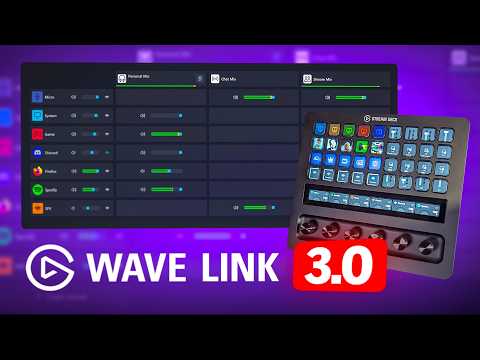
WAVE LINK 3.0 ACCESSIBLE À TOUS ! (tutoriel) thumbnail

WAVE LINK 3.0 ACCESSIBLE À TOUS ! (tutoriel)

2 months agoLong-tail
tutoriel wave linktuto wave linktutoriel elgato wave linkwave linkelgato wave link tutowave link accessible
Published time
March 9, 2026 at 12:00 AM
Duration
11:15
Video type
Gaming
Channel region
France
Publish Timing Insight
Not enough timing data
This channel still lacks enough historical upload timing data. Let the channel accumulate more snapshots before evaluating the best timing.
Monetization Insight
High RPM
This video sits in a relatively high RPM range, suggesting a more monetization-friendly topic.
Action Suggestion
Watch for sustained growth
The basic conditions are already in place. Keep watching 7-day views and revenue before deciding whether this topic should become a series.
Views
8.6K
Likes
358
Comments
150
Estimated Daily Revenue
-
Estimated Total Revenue
$6.98 - $40.78
RPM Range
$0.81 - $4.73
1D Views Gain
0
7D Views Gain
0
1D Likes Gain
0
7D Likes Gain
0
1D Comments Gain
0
7D Comments Gain
0
Velocity Score
0%
Topic Cluster
tutoriel wave link
Video Description
Séparez les pistes audio très facilement sur votre PC grâce à ce tutoriel simple pour Wave Link 3.0, désormais accessible à tous, et toujours aussi pratique pour les streamers. ▬▬ LIENS ▬▬ Télécharger Wave Link 3.0 : https://www.elgato.com/fr/fr/s/downloads Plugin Wave Link pour Stream Deck : https://marketplace.elgato.com/product/wave-link-3-beta-aa41150f-9645-4275-b064-7642ba6a17ae ----- ?️ Stream Deck sur Amazon * : https://amzn.to/4rmCvRo ?️ Stream Deck + XL chez Elgato : https://elgato.sjv.io/5kgGob ▬▬ AUTRES VIDÉOS UTILES ▬▬ Bien Régler son Micro pour Stream : https://youtu.be/idj6sAGNqnc Tutoriel Stream Deck Débutants : https://youtu.be/JT084tCnSt4 Test Stream Deck+ : https://youtu.be/mqkF5KgkjDY Trucs et Astuces Stream Deck : https://youtu.be/snDx8fEZqu4 ▬▬ RÉSEAUX ▬▬ https://twitch.tv/tomtom https://discord.gg/zeroabsolu https://threads.net/@tomtomtwitch https://instagram.com/tomtomtwitch ▬▬ MATÉRIEL DE STREAM ▬▬ Mes Sélections sur Amazon * ► https://www.amazon.fr/shop/zeroabsolugaming ▬▬ CHAPITRES ▬▬ 00:00 : C'est gratuit ! 00:27 : Installer Wave Link 00:55 : Interface de l'appli 01:50 : Configurer Wave Link 05:41 : Régler le micro 08:23 : Configurer OBS 08:58 : Piste VOD Twitch 09:49 : Avec un Stream Deck+ XL Oubliez Voicemeeter, si vous voulez séparer vos pistes audio et avoir un mixage parfait, utilisez Wave Link. Avec la version 3.0 de Wave Link, tout le monde peut en profiter. Gratuitement. Bref, on va voir comment configurer Wave Link 3.0, comment régler le micro pour un bon son, et comment supprimer la musique des VOD Twitch, bien sûr, amis streamers, et… et encore un petit bonus en fin de vidéo, vous verrez, vous n’allez pas être déçus. Ah et ce tuto est sponsorisé par Elgato, on les salue. * En tant que Partenaire Amazon, je réalise un bénéfice sur les achats remplissant les conditions requises. =) ▬▬ CRÉDITS ▬▬ Miniature : https://twitter.com/Zeneles Musique : StreamBeats, YouTube Audio Library, Epidemic Sound ▬▬ MERCI D'AVOIR REGARDÉ LA VIDÉO ▬▬ Tags : elgato, stream deck, wave link, micro, audio, pistes, séparer #Elgato #WaveLink #Tutoriel #Streaming #StreamDeck
Related Topics
Continue with closely related videos to judge topic depth and content format.
Topic: tutoriel wave link
Not enough related-topic video data yet.
Video FAQs

These FAQs clarify what this video page measures, why revenue is estimated, and how to use the page for content research.

What can you learn from this video analytics page?

This page shows views, likes, comments, RPM and revenue estimates, publish timing, topic tags, related videos, and the broader channel context behind the video.

Why are RPM and revenue numbers estimates?

Actual earnings depend on monetized playbacks, audience geography, seasonality, advertiser demand, and monetization status. CloutOrbit provides directional estimates for benchmarking, not exact payouts.

How should you use this page for content research?

Compare timing, topic tags, monetization signals, and adjacent videos from the same channel to spot formats, themes, and publishing patterns worth testing.