Google for Developers banner
Google for Developers avatar
Google for Developers
@googledevelopers
Subscribers2.6M
Views334.5M
Videos6.4K
Google for DevelopersPublished at April 22, 2026 at 12:00 AM9:10
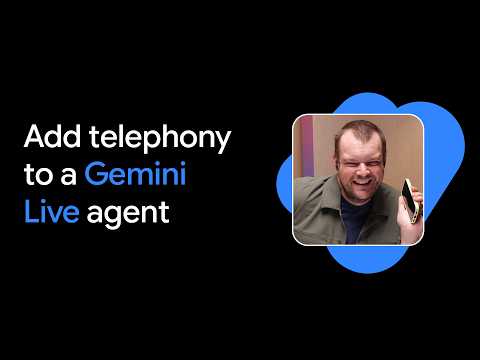
Add Telephony to a Gemini Live Agent thumbnail

Add Telephony to a Gemini Live Agent

last monthLong-tail
Googledeveloperspr_pr: Google for Developers;Purpose: Learn;Video Type:DevByte;add telephony gemini
Published time
April 22, 2026 at 12:00 AM
Duration
9:10
Video type
Science & Technology
Channel region
United States
Publish Timing Insight
Not enough timing data
This channel still lacks enough historical upload timing data. Let the channel accumulate more snapshots before evaluating the best timing.
Monetization Insight
High RPM
This video sits in a relatively high RPM range, suggesting a more monetization-friendly topic.
Action Suggestion
Watch for sustained growth
The basic conditions are already in place. Keep watching 7-day views and revenue before deciding whether this topic should become a series.
Views
13.5K
Likes
430
Comments
19
Estimated Daily Revenue
$0 - $0
Estimated Total Revenue
$12.95 - $75.56
RPM Range
$0.96 - $5.6
1D Views Gain
0
7D Views Gain
0
1D Likes Gain
0
7D Likes Gain
0
1D Comments Gain
0
7D Comments Gain
0
Velocity Score
0%
Topic Cluster
Google
Video Description
Thor from Google DeepMind walks through how to set up the Gemini Live API with Twilio and deploy it to Google Cloud Run, so anyone can call your Gemini voice agent from a regular phone number. Inbound and outbound calls, real-time audio streaming, and the same agent running in the browser and on the phone from a single deployment. What's covered: Using the GenAI Python SDK Twilio example from GitHub, building inbound and outbound call handlers with FastAPI and WebSockets, handling audio format conversion between Gemini and Twilio, deploying to Google Cloud Run with Secret Manager, and using Antigravity coding agent skills to accelerate the build. ] Grab your Gemini API key at Google AI Studio and your Twilio credentials at twilio.com to get started. Full example and setup instructions linked below. Resources: Find the tutorial →https://goo.gle/4cokC0t Find the code→https://goo.gle/4tYFYXV What are you building with Gemini Live? Drop it in the comments. Chapters 0:00 - Live Demo: Calling the Gemini Assistant on the Phone 0:51 - Introduction to Gemini 3.1 Flash Live & Twilio 1:16 - GitHub Examples & The Gen AI Python SDK 1:46 - Building the Integration with Coding Agents 2:57 - Code Walkthrough: FastAPI & WebSockets Setup 3:43 - Handling Twilio Inbound & Outbound Endpoints 5:25 - Audio Conversion (PCM to mu-law) & Partner Integrations 6:50 - Deployment to Google Cloud Run 7:35 - Web Browser Client Demo: Accents & Camera Vision Speaker: Thor Schaeff Products Mentioned: Google AI, Gemini
Related Topics
Continue with closely related videos to judge topic depth and content format.
Topic: Google
Not enough related-topic video data yet.
Video FAQs

These FAQs clarify what this video page measures, why revenue is estimated, and how to use the page for content research.

What can you learn from this video analytics page?

This page shows views, likes, comments, RPM and revenue estimates, publish timing, topic tags, related videos, and the broader channel context behind the video.

Why are RPM and revenue numbers estimates?

Actual earnings depend on monetized playbacks, audience geography, seasonality, advertiser demand, and monetization status. CloutOrbit provides directional estimates for benchmarking, not exact payouts.

How should you use this page for content research?

Compare timing, topic tags, monetization signals, and adjacent videos from the same channel to spot formats, themes, and publishing patterns worth testing.