Zero Absolu Gaming banner
Zero Absolu Gaming avatar
Zero Absolu Gaming
@zeroabsolugaming
Subscribers84.4K
Views12.7M
Videos439
Zero Absolu GamingPublished at March 2, 2026 at 12:00 AM12:01
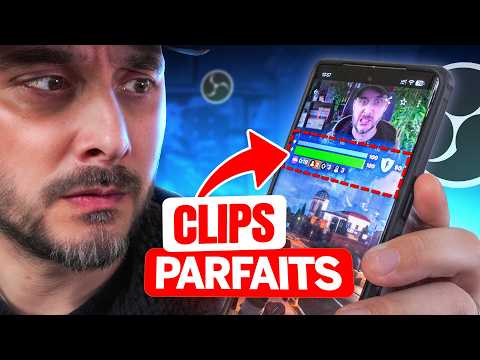
Préparez vos Clips avec OBS Studio thumbnail

Préparez vos Clips avec OBS Studio

3 months agoLong-tail
comment faire des clips twitchcomment faire des clips pour tiktokcomment faire des clips avec obs studiocomment créer des clips avec obsfaire des bons clips pour titkokparez vos clips
Published time
March 2, 2026 at 12:00 AM
Duration
12:01
Video type
Gaming
Channel region
France
Publish Timing Insight
Not enough timing data
This channel still lacks enough historical upload timing data. Let the channel accumulate more snapshots before evaluating the best timing.
Monetization Insight
High RPM
This video sits in a relatively high RPM range, suggesting a more monetization-friendly topic.
Action Suggestion
Watch for sustained growth
The basic conditions are already in place. Keep watching 7-day views and revenue before deciding whether this topic should become a series.
Views
6.3K
Likes
377
Comments
70
Estimated Daily Revenue
-
Estimated Total Revenue
$5.07 - $29.63
RPM Range
$0.81 - $4.73
1D Views Gain
0
7D Views Gain
0
1D Likes Gain
0
7D Likes Gain
0
1D Comments Gain
0
7D Comments Gain
0
Velocity Score
0%
Topic Cluster
comment faire des clips twitch
Video Description
Voici comment créer des clips verticaux impeccables pour publier sur TikTok, YouTube Shorts ou Instagram Reels. ▬▬ LIENS (*affiliés) ▬▬ Plugin Aitum Vertical : https://aitum.tv/download/vertical/ Plugin Source Clone : https://obsproject.com/forum/resources/source-clone.1632/ Photopea : https://www.photopea.com/ Masques pour webcam : https://nerdordie.com/product/free-webcam-masks/ ----- Overlays & Alertes OWN3D * : https://www.own3d.tv/fr?deal=tomtom ?️ code TOMTOM → 55% de réduction ▬▬ AUTRES VIDÉOS UTILES ▬▬ Séparer les pistes audio dans OBS : https://youtu.be/0CYMYdPfpiI Plugin Ultime pour Multistream : https://youtu.be/iyWNEL5JI6o Plugin Shaderfilter : https://youtu.be/2c5qk48Q4YI Astuces des Scènes Imbriquées: https://youtu.be/ZlQlI22l8OE Optimiser OBS Studio à 100% : https://youtu.be/_w_v5qmAFNg ▬▬ RÉSEAUX ▬▬ https://twitch.tv/tomtom https://www.instagram.com/tomtomtwitch/ https://threads.net/@tomtomtwitch https://discord.gg/zeroabsolu ▬▬ CHAPITRES ▬▬ 00:00 : Plateformes verticales 01:02 : 1. Prrequis 01:30 : 1.1 Aitum Vertical 01:56 : 1.2 Source Clone 02:35 : 2. Réglages plugin Aitum 03:33 : 3. Créer une scène verticale 03:53 : 3.1 Pimper la webcam 04:19 : 3.2 Pimper le jeu 06:26 : 4. Config audio 07:43 : 4.1 Matrice pistes audio 08:18 : 5. Réglages encodeur 10:28 : 6. Backtrack 11:35 : Poce bleu ▬▬ CRÉDITS ▬▬ Miniature : https://twitter.com/Zeneles Musique : StreamBeats, YouTube Audio Library, Epidemic Sound ▬▬ MERCI D'AVOIR REGARDÉ LA VIDÉO ▬▬ #OBSstudio #MiseAJour #Streaming #ZeroAbsoluGaming
Related Topics
Continue with closely related videos to judge topic depth and content format.
Topic: comment faire des clips twitch
Not enough related-topic video data yet.
Video FAQs

These FAQs clarify what this video page measures, why revenue is estimated, and how to use the page for content research.

What can you learn from this video analytics page?

This page shows views, likes, comments, RPM and revenue estimates, publish timing, topic tags, related videos, and the broader channel context behind the video.

Why are RPM and revenue numbers estimates?

Actual earnings depend on monetized playbacks, audience geography, seasonality, advertiser demand, and monetization status. CloutOrbit provides directional estimates for benchmarking, not exact payouts.

How should you use this page for content research?

Compare timing, topic tags, monetization signals, and adjacent videos from the same channel to spot formats, themes, and publishing patterns worth testing.