GFXMentor banner
GFXMentor avatar
GFXMentor
@gfxmentor
Subscribers3.6M
Views255.2M
Videos580
GFXMentorPublished at August 8, 2025 at 10:19 PM13:36
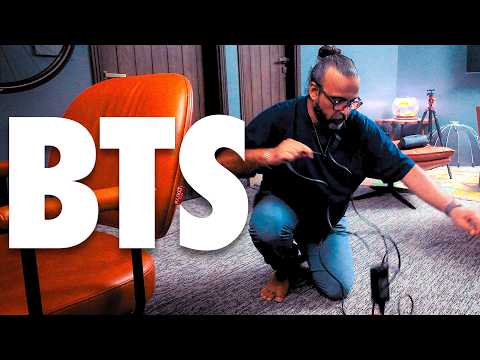
How I Film My Videos - Behind the Scenes Look thumbnail

How I Film My Videos - Behind the Scenes Look

10 months agoLong-tail
behind the scenesbtshow i make my videoscontent creation processyoutube filming setupfilm videos behind
Published time
August 8, 2025 at 10:19 PM
Duration
13:36
Video type
Education
Channel region
Pakistan
Publish Timing Insight
Not enough timing data
This channel still lacks enough historical upload timing data. Let the channel accumulate more snapshots before evaluating the best timing.
Monetization Insight
High RPM
This video sits in a relatively high RPM range, suggesting a more monetization-friendly topic.
Action Suggestion
Watch for sustained growth
The basic conditions are already in place. Keep watching 7-day views and revenue before deciding whether this topic should become a series.
Views
108.9K
Likes
3.9K
Comments
395
Estimated Daily Revenue
-
Estimated Total Revenue
$78.43 - $457.49
RPM Range
$0.72 - $4.2
1D Views Gain
0
7D Views Gain
0
1D Likes Gain
0
7D Likes Gain
0
1D Comments Gain
0
7D Comments Gain
0
Velocity Score
0%
Topic Cluster
behind the scenes
Video Description
Ever wondered how I set up my camera and lights for my YouTube videos? In this behind-the-scenes video, I’ll show you exactly how I filmed my last video including my lighting setup, camera gear, and the small details that make a big difference in video quality. Whether you’re a beginner or an experienced creator, you’ll pick up some useful tips to improve your own content. If you have any questions let me know in comments section. ? Full Playlist: Learn Content Creation (Beginner Course) ? https://youtube.com/playlist?list=PLW-zSkCnZ-gDgc_YNSC7uCaYNLoMwLPp8&si=1Gozwc1ES4iYBAf1 Join GFXMentor Nation (Official Facebook Group) https://www.facebook.com/groups/gfxmnation Follow me on Instagram https://www.instagram.com/GFXMentor Follow me on Facebook: https://www.facebook.com/GFXMentor Subscribe to my second channel named "Immmi" https://www.youtube.com/Immmi *IMPORTANT* Please only use and share embed code of the original video. Third party downloads and distribution is not permitted. My name is Imran Ali Dina, and I am a seasoned Graphic Design Trainer having experience of 20+ years. I've started this training for anyone who wants to learn Graphic Designing for FREE in a professional way. Photoshop for Beginners Series Playlist: https://www.youtube.com/playlist?list=PLW-zSkCnZ-gA5Jn6gZtUa6-aG0OoRZyb6 Here's the complete playlist of Adobe Illustrator Training so far, I suggest, if you are new to Adobe Illustrator you should watch whole playlist from the beginning: https://www.youtube.com/playlist?list=PLW-zSkCnZ-gCq0DjkzY-YapCBEk0lA6lR www.youtube.com/GFXMentor
Related Topics
Continue with closely related videos to judge topic depth and content format.
Topic: behind the scenes
Not enough related-topic video data yet.
Video FAQs

These FAQs clarify what this video page measures, why revenue is estimated, and how to use the page for content research.

What can you learn from this video analytics page?

This page shows views, likes, comments, RPM and revenue estimates, publish timing, topic tags, related videos, and the broader channel context behind the video.

Why are RPM and revenue numbers estimates?

Actual earnings depend on monetized playbacks, audience geography, seasonality, advertiser demand, and monetization status. CloutOrbit provides directional estimates for benchmarking, not exact payouts.

How should you use this page for content research?

Compare timing, topic tags, monetization signals, and adjacent videos from the same channel to spot formats, themes, and publishing patterns worth testing.